
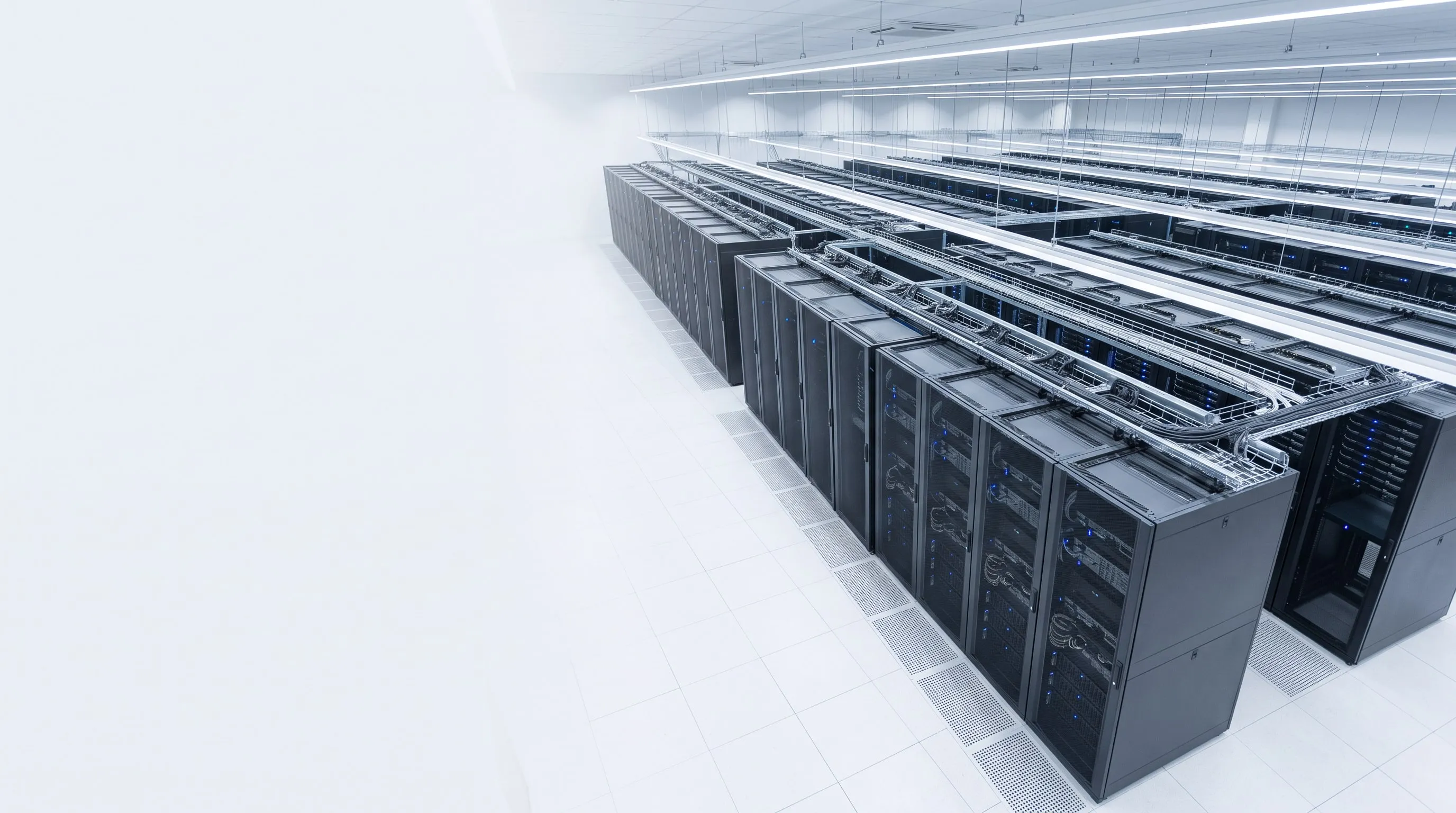
Even your entire server room, as a service
1. What does this mean in one sentence?
DCaaS means that your company’s entire server room moves to us as a service—not a few virtual machines, but the entire server environment: the dedicated hardware, storage, network, directory, backup, disaster recovery and the operations that go with them, for a single, predictable monthly fee.
You aren’t buying one service among many—you’re eliminating the entire cost and risk of maintaining your own server room, from power supply through cooling and backups to on-call system administration.
2. How is it more than IaaS?
The two build on each other. IaaS gives you leased virtual machines; DCaaS takes over the entire infrastructure layer, including the components that have so far been at the company’s own sites.
| Aspect | IaaS | DCaaS |
|---|---|---|
| Compute capacity | Virtual machines on a shared platform, in an isolated segment | Dedicated physical hosts, with guaranteed, non-shared resources |
| Storage | Defined disk space | Dedicated storage capacity, by performance tier (SSD / HDD tier) |
| Network | VLAN segment + gateway | Complete network architecture: segmentation, firewall, VPN, public publishing, documented addressing |
| Directory, identity | The client’s responsibility | Your own domain controllers, group policies, permission management, with operations |
| Backup | Multi-level backup | Multi-level backup + replication + tested recovery, with RPO/RTO targets |
| Disaster recovery | Optional | A core element of the service |
| Operations | Infrastructure level | Full life cycle: planning, change management, patch management, capacity planning, reporting |
| What it replaces | One or more servers | The entire server room |
In short: with IaaS, you still operate your system on our hardware. With DCaaS, we operate your system, and you focus on your own business.
3. What exactly do you get?
3.1 Dedicated compute layer
| Component | What it means |
|---|---|
| Dedicated physical hosts | The servers agreed on run your environment exclusively |
| Enterprise server hardware | Enterprise server platform: redundant power supplies, ECC memory, RAID-protected storage, with hardware monitoring |
| Virtualization | Industry-standard virtualization platforms, optimized for the VMware, Hyper-V and Proxmox ecosystems |
| Maintenance without downtime | Virtual machines can be moved to another physical host while running (Live Migration), so hardware maintenance doesn’t mean an outage |
| High availability | A multi-host environment, where the failure of one server doesn’t stop all operations |
| Planned scalability | When resource needs grow, a new host is added—with no procurement, installation or downtime on your side |
3.2 Storage
- Storage capacity by performance tier—a fast SSD tier for databases and terminal services, a cost-effective capacity tier for archive and file server data.
- RAID protection at every level, with continuous disk health monitoring.
- Capacity monitoring and forecasting—you don’t find out you’re running out of space once it’s already gone. Regular reports show you the usage trend.
- Flexible expansion—increasing storage takes days, not weeks.
3.3 Network and security
- Dedicated network segment, with a documented addressing scheme.
- Fully isolated network on request—its own physical switch, a separate address range, separated from the shared infrastructure. For systems handling healthcare, financial or other highly sensitive data, this is a baseline requirement.
- Dedicated firewall / gateway—NAT, port and firewall rules belong exclusively to your environment and are never mixed with anyone else’s.
- Site-to-site VPN between your offices and the leased data center, plus client VPN for remote work.
- Public IP addresses for externally facing services (web, FTP, VPN endpoint).
- Out-of-band hardware management—we monitor hardware health independently of the operating system; power supply, fan, memory and disk failures are often detected while they are still only early warning signs.
3.4 Directory and identity
- Your own Active Directory domain, or migration of your existing domain, with operations.
- Redundant domain controllers, so a single machine failing doesn’t prevent sign-in.
- Group policies and permission structure, designed and maintained—who can access what, documented.
- Terminal services (RDS) on request: users reach the same work environment from anywhere, on any device.
3.5 Backup and disaster recovery
This is the most important added value of DCaaS—and typically the area where the risk is greatest in an in-house server room.
- Enterprise Plus—an enterprise-grade backup solution, not copying to an external hard drive.
- Multiple independent backup repositories—a primary high-capacity repository and a separate physical secondary backup target, so a single device failure doesn’t take the backups down with it.
- Hyper-V replication—a ready-to-run copy of critical virtual machines is available in a separate data center. In case of hardware failure, recovery is measured in minutes, not days.
- RPO and RTO targets in the contract. In plain terms:
- RPO = how much data loss is acceptable in the worst case (e.g., no more than 1 hour of work).
- RTO = how quickly the system must be running again (e.g., within 4 hours).
- Documented, tested restores. A backup is only worth something if it can be restored. We perform test restores at the agreed frequency and give you the results in writing.
3.6 Operations, monitoring, transparency
- Continuous monitoring—CPU, memory, storage and service monitoring at host and virtual machine level.
- Patch and update management—in scheduled maintenance windows agreed in advance, not with random restarts.
- Change management—every significant intervention is documented, traceable and reversible.
- Capacity planning—we forecast when and with what you’ll need to expand, so you don’t find out from an unexpected outage.
- Regular reports filtered to your data—virtual machines, resource usage, network settings, backup status.
- Up-to-date infrastructure documentation—something you can pull out for an audit, an insurance or a compliance question.
- One point of contact—no need to coordinate a separate hardware supplier, license distributor, network partner and system administrator.
3.7 Software licensing: SPLA and CSP
- SPLA (Services Provider License Agreement)—Windows Server, Remote Desktop Services and SQL Server licenses are held in the provider’s name and billed based on actual monthly usage. You don’t buy perpetual licenses, you don’t pay millions of forints upfront, and you don’t need separate Software Assurance for version upgrades.
- Scale down and up monthly—if fewer users work in a given month, billing adjusts accordingly.
- The license audit risk is on the provider—reporting the correct license quantity is our responsibility.
- CSP (Cloud Solution Provider)—Microsoft 365 and cloud-based add-on services under the same contract, on one invoice, with Hungarian-language support.
- Existing licenses can in some cases be brought over under License Mobility, in which case the license fee is removed from the monthly fee.
4. What does it replace in your own server room?
| Category | What your own server room requires today |
|---|---|
| Building, space | A server room or dedicated space, rack cabinet, cabling, physical locks, access control |
| Power | Around-the-clock consumption, a UPS with battery replacement every 3–4 years, possibly a generator |
| Cooling | Buying and maintaining air conditioning, immediate intervention when it fails |
| Fire and water protection | Detection, suppression system, insurance |
| Network | Redundant internet connection, switch, firewall, router, public IP range |
| Server hardware | Servers, memory, RAID controller, enterprise SSD/HDD, spare parts, support contract renewals |
| Backup | Backup device, second-site storage, backup media and their rotation |
| Software | Windows Server, CALs, RDS SALs, SQL Server, virtualization, backup software licenses |
| Staff | System administrator hourly rates, night and weekend on-call, cover during vacation and sick leave |
| Time | The time management and staff spend dealing with IT problems |
All of this is built into a single monthly service fee—predictably, as one line item, with no surprises.
5. Risks we take on
| Risk | In your own server room | With DCaaS |
|---|---|---|
| Power outage | The company keeps running only as long as the UPS lasts | Redundant power, monitored environment |
| AC failure | Servers overheat, shut down or are damaged | Data center cooling, continuous temperature monitoring |
| Hardware failure | Lead time for parts, the system is down until then | Predictive monitoring, supported hardware, replica |
| Ransomware | Backups on the network can be encrypted too | Multiple isolated backup tiers, replica |
| Key-person dependency | Only one person knows how it works | Documented environment, a team behind it |
| Burglary, fire, water damage | An office server room is vulnerable | Physically protected data center environment |
| Technology obsolescence | New investment every 4–5 years | Hardware replacement is our responsibility and our cost |
| License audit | Your risk | The provider reports and is accountable for it |
6. The financial and tax advantage: OPEX instead of CAPEX
6.1 Your own server room: capital expenditure (CAPEX)
- You have to pay the full acquisition cost in one lump sum—servers, storage, network, UPS, air conditioning, licenses all at once.
- The assets have to be capitalized in your books: any asset with an individual value above 100,000 HUF is recorded as a fixed asset.
- The cost appears spread over years, as depreciation.
- You paid today, but it only reduces your tax base over years, in installments.
- On top of that comes the administration of the asset register, inventory counts, the annual depreciation calculation and, at the end, disposal.
- If you finance it with a loan or lease: interest costs, tied-up collateral, less credit available for other purposes.
- In year four or five—when the equipment has reached end of life—you start all over again.
6.2 The leased data center: operating expenditure (OPEX)
- ✅ The monthly fee is an expense of the period—not an asset purchase, no capitalization.
- ✅ It reduces the tax base in full, immediately, in the year it is incurred.
- ✅ VAT is deductible monthly, on an ongoing basis—no need to pre-finance the VAT on a large investment.
- ✅ No fixed asset register, inventory, depreciation calculation or disposal.
- ✅ Predictable, plannable cash flow—a recurring monthly item of a similar size.
- ✅ It doesn’t burden your creditworthiness—your credit line stays free for other, more useful business purposes.
- ✅ The risk of technology obsolescence and hardware replacement is the provider’s.
- ✅ Hidden operating costs become visible too—power, cooling and on-call already cost money today, just scattered and hard to measure.
6.3 Comparison
| Own server room (CAPEX) | Leased data center (OPEX) | |
|---|---|---|
| Payment | In one lump sum, upfront | Monthly, evenly |
| Cost accounting | Spread over years, through depreciation | Immediately, in full |
| Tax base reduction | In installments, over years | In the year incurred, in full |
| VAT | Pre-financing a large amount | Deducted monthly, on an ongoing basis |
| Bookkeeping burden | Capitalization, depreciation, inventory, disposal | One incoming invoice |
| Hidden costs | Power, cooling, on-call, parts—scattered | In one line item, visibly |
| Obsolescence risk | Yours | Ours |
| Scalability | Requires new investment | Adjustable monthly |
| License risk | Yours (audit) | Ours (SPLA reporting) |
| Key-person dependency | High | Covered by the provider’s team and the documentation |
Important: This information is a general overview and does not constitute tax advice. Please discuss the specific accounting treatment with your accountant or tax advisor.
7. When does it pay off most?
- Your entire server fleet is due for replacement now—the investment would hit in one lump sum.
- Your server room is outdated or inadequate—no proper cooling, UPS protection or physical security.
- Your IT depends on one person’s knowledge—their vacation, illness or departure is a serious risk.
- There’s no tested recovery plan—there are backups, but no one has ever tried whether they can actually be restored.
- Growing compliance expectations are being placed on the company (from partners, insurers or regulators), and documented, auditable infrastructure is missing.
- You operate multiple sites, and each would need its own server.
- You want predictable IT costs instead of unexpected hardware failures and panic situations.
- From a tax-base optimization standpoint, an ongoing expense is more favorable than multi-year amortization.
8. How does the transition work?
- Assessment—mapping current servers, applications, data volume, network and actual resource needs.
- Target architecture and RPO/RTO alignment—for each system, we define how much downtime and how much data loss is acceptable.
- Quote—an itemized monthly fee: hosts, storage capacity, network, backup level, licenses, operations level.
- Contract and SLA—availability, response time, maintenance windows, backup and retention rules in writing.
- Migration plan—schedule, sequence, test migration, rollback scenario. Critical systems never move live without preparation.
- Migration—step by step, in agreed time windows, minimizing downtime.
- Handover—access, documentation, reporting schedule, contact and escalation path.
- Ongoing operations—monitoring, patch management, regular reports and periodic reviews of the needs for the next period.
9. Frequently asked questions
Does my data run on the same hardware as other clients’ data? With DCaaS we provide dedicated physical hosts—you don’t share resources with any other client. For highly sensitive systems we set up a fully isolated network.
Who owns the data? The data is always yours. We provide storage, operations and protection services for it.
What happens if I cancel the service? Virtual machines and data can be handed over in exported form, under the terms set out in the contract. SPLA licenses cannot be transferred, because they are service provider licenses.
Can I get administrator rights? Yes. You get full administrator access in the guest operating systems, and your own in-house IT staff can work in the environment too. The hypervisor, the physical infrastructure and the backup layer remain our responsibility.
What happens if hardware fails? We monitor the hardware out-of-band, and the servers are covered by support contracts. Virtual machines can be moved to another physical host while running, and ready-to-run replicas of critical systems are available.
What if my needs grow? Capacity expansion is part of the service: more memory, more processor cores or more storage can be provided without procurement or downtime, with a proportional adjustment to the monthly fee.
Does the service meet audit requirements? We provide up-to-date infrastructure documentation, backup and recovery records, and permission reports. We review together the specific compliance requirements that apply to your company before the contract is signed.
10. Contact
To request a quote, rough figures for the following are enough:
- how many users and how many sites work in the system,
- which servers are running today (file server, database, business system, terminal server, email),
- how much data you handle, and how fast it is growing,
- how much downtime and how much data loss is acceptable for critical systems,
- when support for your current hardware expires.
Based on these, we prepare an itemized, comparable quote—in one table with the estimated total cost of your current in-house operations.
This document is for information only, does not constitute tax advice, and does not replace individual contract terms.